About Us
(Recap)
Part 1/5
Spriha Joshi
- Current affiliation
- Teacher/Lecturer - Maastricht University
- Education
- Masters in Data Science for Decision Marking - DACS, Maastricht University
- Bachelors in Data Science and Artificial Intelligence - DACS - Maastricht University
Teaching Assistants
Jose Ros
Dumitru Versebeniuc
Jounaid Beaufils
Maria Bota
Britt Schmitz
Derrick Timmermans
Filip Straka
Sam Goldie
Aurelien Bertrand
Nikola Prianikov
Arantxa Buiter Sanchez
Fivos Tzavellos
Lázár Barta
The Paradox of Simple Rules and Complex Outcomes
Simple Rules and Complex Outcomes
Simple computational rules lead to complex software behavior.
Just like in a game of chess, learning the basic moves can lead to an endless variety of complex strategies and outcomes (think about designing a 🤖 bot to play chess ♟️!).
Simple Rules and Complex Outcomes
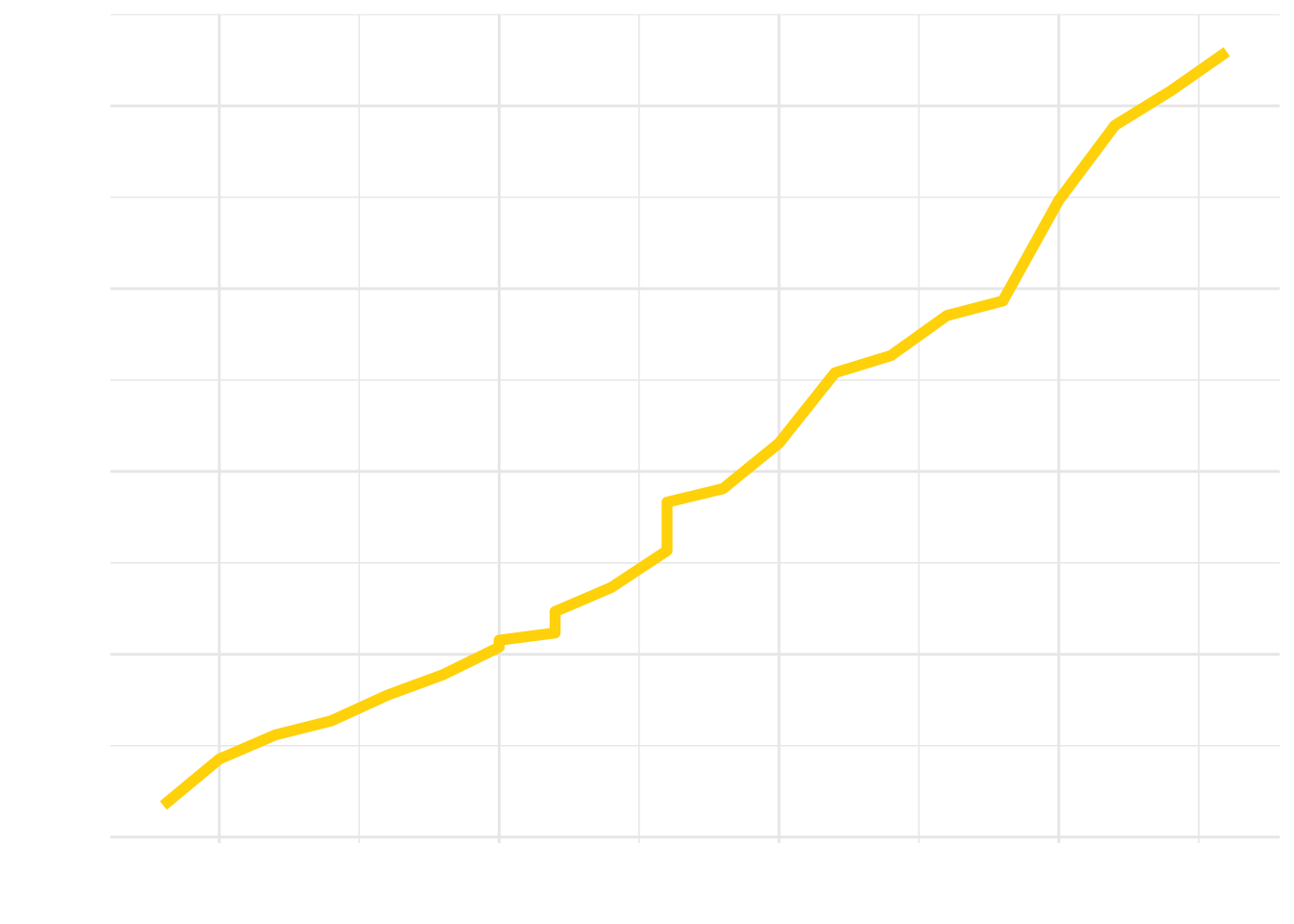
- This complexity is due to the interactions between simple steps, which become unpredictable as the software scales.
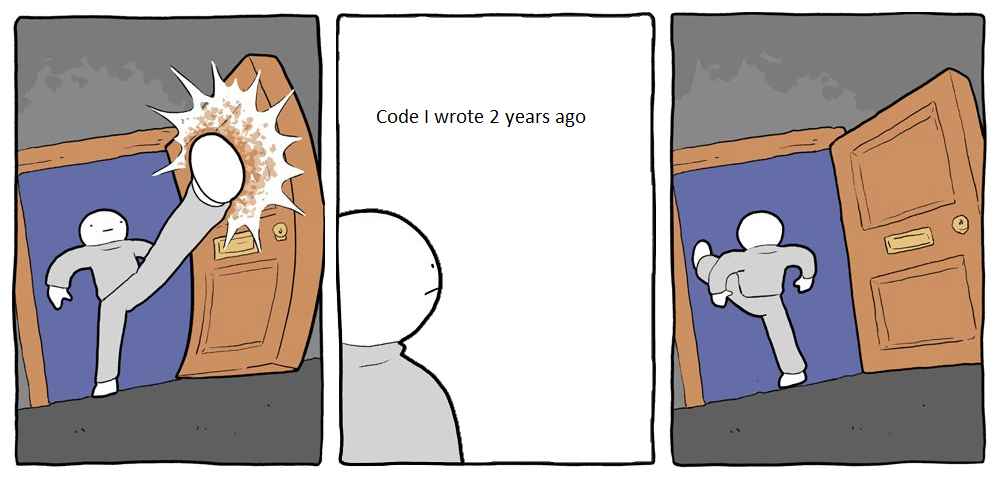
- Human limitations: We can create larger programs than we can fully comprehend, especially in large, changing teams.
Linux Kernel Complexity Over Time
Warning: Using `size` aesthetic for lines was deprecated in ggplot2 3.4.0.
ℹ Please use `linewidth` instead.
Firefox Browser Complexity Over Time
You create software for a purpose (aka requirements)
The Challenge of Evolving Software Requirements
- Software development is a dynamic process with evolving requirements.
- Example: An e-commerce app initially focused on product listings may need to integrate advanced features like AI-based recommendations or augmented reality previews as market demands evolve.
The Challenge of Evolving Software Requirements
- This evolution necessitates flexible, adaptable designs that can accommodate such changes without major overhauls.
Designing for Complexity and Change
- Design principles are essential to manage software complexity and changing requirements.
- Object-oriented design offers techniques like information hiding, interfaces, and polymorphism to promote loose coupling .
Good Software - Beyond Correctness
- Good software is not just about being correct!
- Designing software involves making choices in the face of competing concerns like efficiency and maintainability .
- Example: An efficient algorithm can be complex and hard to modify, while a simpler, less efficient option might be better for group work.
Design as an Art and Science
- Software design is as much an art as it is a science.
- Think: Design a music streaming application for old people.
Granny’s Groovy Tunes
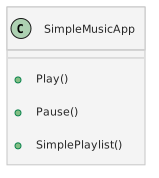
Option 1: Simple
- Ease of Use: Intuitive navigation with large, clear buttons.
- Essential Functions: Play, pause, and simple playlist management.
- User Comfort: Familiarity and comfort for users not accustomed to technology.
- Development: Aligns with limited experience in complex UIs, facilitating easier implementation.
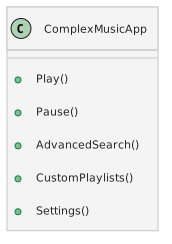
Option 2: Feature-Rich
- Comprehensive Features: Advanced search, custom playlists, and varied settings.
- User Engagement: Options for more tech-savvy users to explore and customize.
- Competitive Edge: Offering a wider array of features than typical simple apps.
- Development Challenge: Requires a steeper learning curve and more complex maintenance.
How to design good software?
Ride Sharing Apps
- Apps like Uber , Bolt and need to quickly adapt to new technologies and user expectations to maintain a competitive edge.
Market and Technological Changes
- User Feedback: 💬
- Introduced in-app tipping after feedback, leading to over $2 billion in tips for drivers.
- Regulatory Adaptation: ⚖️
- Adjusted operations in various regions to comply with local regulations and market conditions.
- Technological Advancements: 🤖
- Integrated AI and machine learning to optimize millions of trips daily.
So how do Uber and other companies design good software?
With the principles and practices of Software Engineering, a discipline dedicated to crafting high-quality software!
(Very Brief) Introduction to Software Engineering
Software Engineering
- Definition: Software Engineering is the application of engineering principles to software development in a systematic way.
- Goal: To produce reliable, efficient, maintainable, and usable software.
The Essence of Software Engineering
- Software Engineering is not just about coding. It’s about:
- Understanding user needs and translating them into software solutions: Requirements Engineering
- Designing systems that are robust, scalable, and secure [Quality Attributes].
- Managing the software development process efficiently.
It integrates aspects of computer science, project management, and engineering.
Software Development Lifecycle
- Software development lifecycle is a process used to develop software.
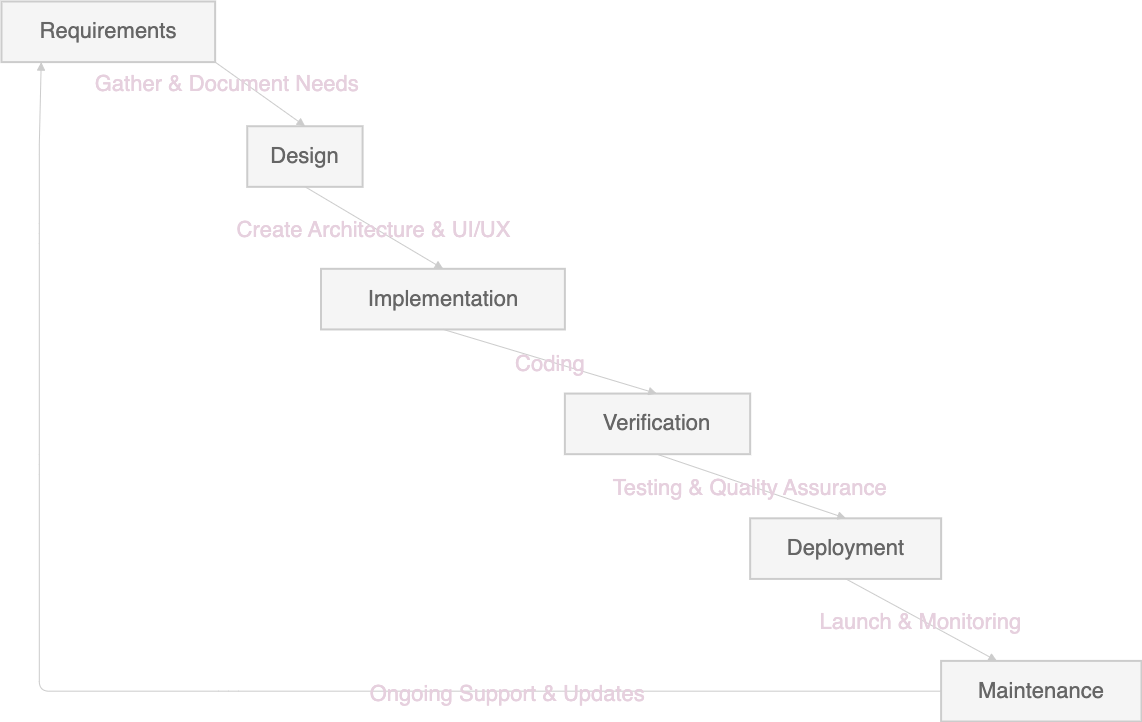
- The Waterfall Model is a sequential software development process.
- Phases: Requirements, Design, Implementation, Verification, Deployment, Maintenance.
- Each phase cascades into the next, like a waterfall, ensuring a structured and methodical approach.
Requirements Phase
Requirements provide a clear, detailed foundation for the project.
Example Activity: Gathering detailed needs and specifications for the grocery app.
  graph LR;
    A(Start) --> B(Identify Stakeholders);
    B --> C(Gather Requirements);
    C --> D(Analyze Requirements);
    D --> E(Requirements Specification);
    E --> G(Validate Requirements);
    G --> H(End);

    style A fill:#808080,stroke:#333,stroke-width:4px
    style B fill:#808080
    style C fill:#808080
    style D fill:#808080
    style E fill:#808080
    style G fill:#808080
    style H fill:#808080,stroke:#333,stroke-width:4px
- Two types of requirements: Functional and Non-Functional Requirements.
Requirements Phase: Functional & Non-Functional Requirements
Functional Requirements: Define what the software must do — such as user authentication, payment processing, and shopping list management for the grocery app.
Non-Functional Requirements: Specify how the software performs certain operations — including usability, performance, security, and compliance standards.
Design Phase
    graph LR;
        E[Requirements Specification] --> A[Design];
        A --> B[UI/UX Design];
        B --> C[System Architecture];
        C --> D[Design Document];
        style A fill:#808080
        style B fill:#808080
        style C fill:#808080
        style D fill:#808080
        style E fill:#808080
Implementation Phase
    graph LR;
        A[Design Document] --> B[Code Development];
        B --> C[Compile & Build];
        style A fill:#808080
        style B fill:#808080
        style C fill:#808080
Verification Phase
- Verification confirms that the app is built correctly and is ready for deployment.
- Verification: “Are we building the product right?”
- Validation: “Are we building the right product?”
- Testing: Testing is the act of executing a program with selected data to uncover bugs.
Verification Phase
- Example Activity: Systematic testing to ensure the app meets all requirements and design specifications.
    graph LR;
        A[Built Product] --> B[Verification];
        B --> C[Validation];
        C --> D[Testing];
        style A fill:#808080
        style B fill:#808080
        style C fill:#808080
        style D fill:#808080
Deployment Phase
Deployment is the phase where the software becomes available to end-users and is critical for the operational success of the app.
Example Activity: Releasing the app on various platforms and monitoring initial performance.
    graph LR;
        A[Verification] --> B[Prepare Release];
        B --> C[Launch on Platforms];
        C --> D[Monitor Performance];
        style A fill:#808080
        style B fill:#808080
        style C fill:#808080
        style D fill:#808080
Maintenance Phase
Maintenance ensures the app remains functional and up-to-date over time.
Example Activity: Providing ongoing support, bug fixes, and updates based on user feedback.
    graph LR;
        A[Deployment] --> B[Provide Support];
        B --> C[Implement Updates];
        C --> D[Fix Bugs];
        style A fill:#808080
        style B fill:#808080
        style C fill:#808080
        style D fill:#808080
Short Break
Do not leave your seat (5 min)
Do not forget the Granny’s! Design their music app.
Requirements Phase for Granny’s Groovy Tunes
- Activities:
- Conduct user interviews and surveys.
- Analyze feedback to identify key functionalities.
- Document technical constraints.
- Deliverables:
- Requirements Specification Document.
Key Requirements:
| Functional |
User login, music playback, playlist management |
| Non-Functional |
Usability, performance, accessibility |
Design Phase for Granny’s Groovy Tunes
Activities:
- Develop UI/UX mockups tailored for senior users.
- Define system architecture and database schema.
Deliverables:
- Design Mockups.
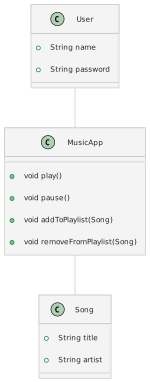
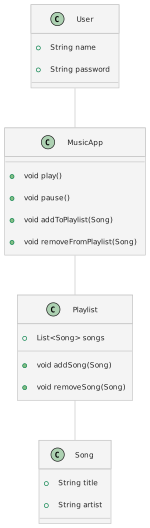
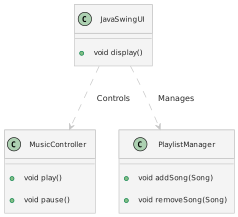
- Architecture and Database UML Diagrams.
Design Considerations:
| UI/UX |
High contrast, large buttons, simple navigation |
| Architecture |
Modular, extensible, Java-based |
Implementation Phase for Granny’s Groovy Tunes
- Activities:
- Write Java code adhering to design specifications.
- Perform tests on core functionalities.
- Deliverables:
Verification Phase for Granny’s Groovy Tunes
Activities:
- Execute test cases for usability and functionality.
- Validate performance on target Java environments.
Deliverables:
Testing Focus:
| Usability |
Ease of use for seniors, intuitive interface |
| Functionality |
Accurate music control and playlist management |
| Performance |
Response times, resource usage |
Deployment Phase for Granny’s Groovy Tunes
- Activities:
- Package the Java application for distribution.
- Release the app on designated platforms.
- Monitor app performance and gather initial user feedback.
- Deliverables:
- Installation Package.
- Deployment Guide.
Maintenance Phase for Granny’s Groovy Tunes
- Activities:
- Address user-reported issues and feedback.
- Regularly update the app for bug fixes.
- Deliverables:
- Updated Versions of the App.
- Maintenance Logs.
Two more things
Importance of Good Design
- Good design is crucial for successful software development.
- Benefits:
- Easier maintenance and scalability.
- Better performance and user experience.
- Poor design can lead to:
- Increased costs, complexity, and inefficiencies.
- Difficulty in adapting to new requirements or technologies.
The Role of Software Engineers
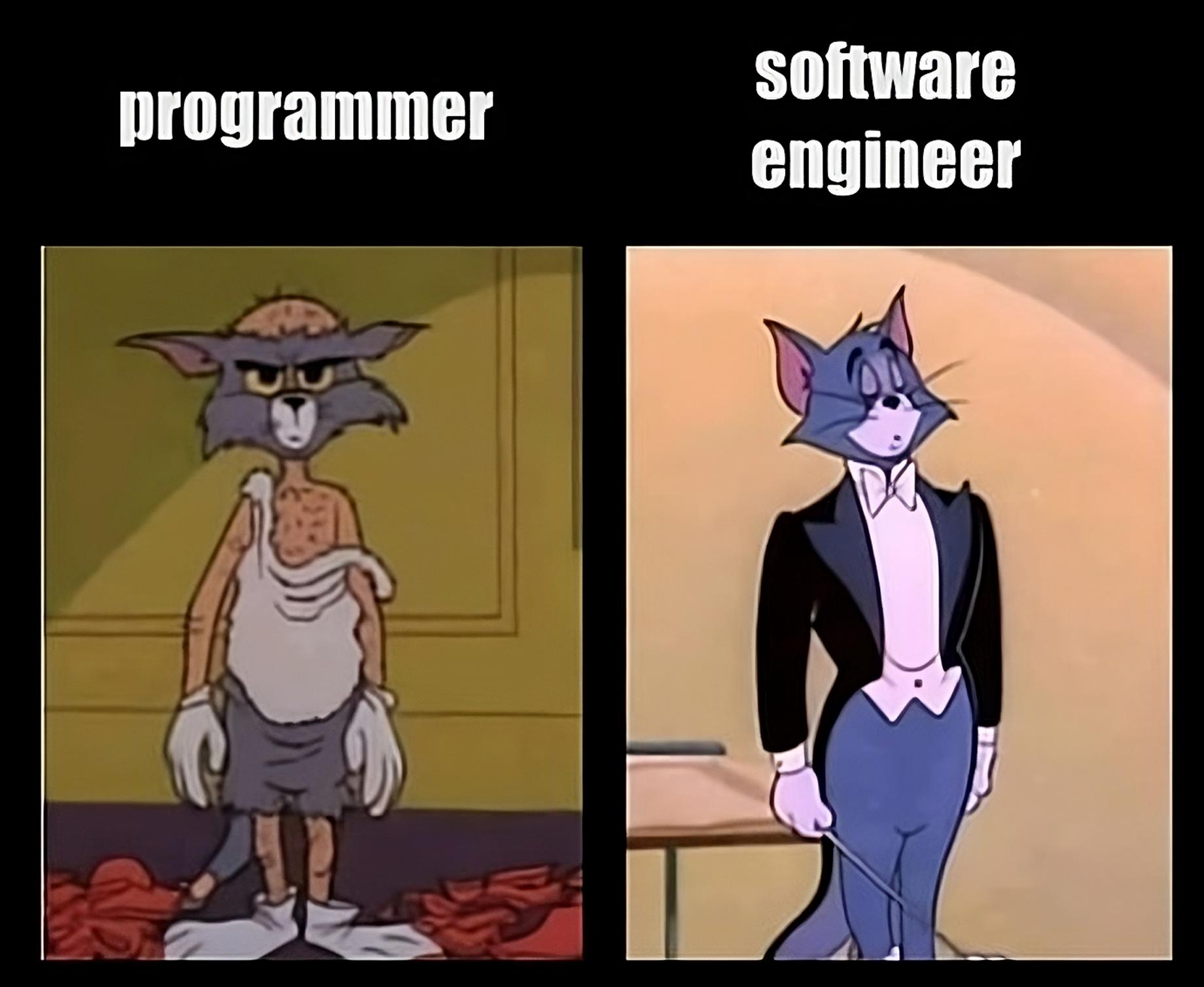
- Software Engineers are like architects.
- Responsibilities include:
- Analyzing user requirements.
- Designing and implementing software solutions.
- Ensuring software quality and performance.
Quick Recap: Object-Oriented Programming (OOP)
In the next lecture, Spriha will give you a more in-depth OOP refresher
Object-Oriented Programming (OOP)
- What is OOP?: It’s a way of programming that builds around “objects” — these are bundles of data and related behaviors, much like real-world objects.
Understanding Objects in OOP
- Core Concept: An object represents an entity in the real world with identity, behavior, and state.
- Example: In a library system, a ‘Book’ object represents a real-world book, containing data like
title, author, and methods like checkAvailability().
Classes - The Blueprint of Objects
- Definition: Classes define the blueprint for objects, specifying what data and behavior they contain.
- Example: A ‘Book’ class in a library system may contain properties (
title, author) and methods (borrow(), return()).
Introduction to Object-Oriented Analysis and Design (OOA/OOD)
Introduction to Object-Oriented Analysis and Design (OOA/OOD)
Object-Oriented Analysis (OOA): - This is the process of looking at a problem, system, or situation, and identifying the objects and interactions between those objects.
Object-Oriented Design (OOD) Design is a conceptual solution that meets the requirements – how can we solve the problem.
Modeling with Classes and Objects
- In OOD, classes and objects are pivotal. Classes act as blueprints, defining the structure (attributes) and behavior (methods) of objects.
- Attributes represent the data, while methods represent actions that can be performed on that data.
- Example: In a ‘Car’ class, attributes might include
color, make, and model, while methods might include drive() and brake().
Hello, Unified Modeling Language (UML)
Unified Modeling Language (UML)
- UML is a graphical language used for specifying, visualizing, constructing, and documenting software systems.
- It offers a standardized approach to software design, bridging the gap between concept and implementation.
Advantages of Using UML
- Benefits: Provides a universal language for software engineers. Enhances understanding, reduces ambiguity, and aids in the documentation of systems.
- Facilitates communication among stakeholders, including developers, clients, and managers.
Great, now I know I can draw diagrams and I need to use OO programming but how do I really write good programs?
Introduction to Design Patterns
Design Patterns
- Design Patterns: Reusable solutions to common software design problems.
- They provide proven techniques for solving problems in software architecture and design.
Characteristics of Design Patterns
- Defines a language for discussing and documenting design.
- Not specific to a particular problem, but applicable in various situations.
- Encourages best practices like modularity and separation of concerns.
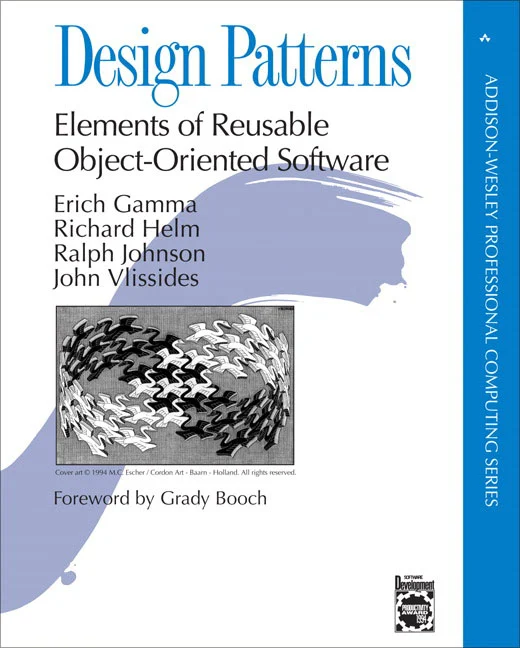
History of Design Patterns
I can use design patterns, am I coding wizard now?
Not yet!
Introduction to Code Smells
Code Smells
- What Are Code Smells?
- Code smells are patterns in software that indicate potential flaws. They suggest weaknesses in design that may slow down development or increase the risk of bugs or failures in the future.
Introduction to Code Smells
- Examples of Code Smells
- Long Method: A method containing too many lines of code, making it hard to understand.
- Large Class: A class that tries to do too much and holds too many responsibilities.
- Duplicate Code: Identical or very similar code exists in more than one location.
The Knight Capital Catastrophe
In 2012, Knight Capital Group, an American financial services firm, experienced a devastating software malfunction that cost the company $460 million in just 45 minutes.
The Trigger: The deployment of a flawed software update activated an obsolete piece of code, unintentionally unleashing rapid-fire trades that led to massive losses.
The Cause?:
- Obsolete Code: Dormant code, a classic code smell, was accidentally activated, showing the dangers of not regularly maintaining and cleaning up the codebase.
Real-World Consequences:
- $460 million in losses in 45 minutes, bankruptcy
Introduction to Code Refactoring
- What is Code Refactoring?
- Code refactoring is the process of restructuring existing computer code without changing its external behavior.
- It’s about improving the internal structure of the software, making it easier to understand and modify.
- Goals of Refactoring
- Enhance code readability and maintainability.
- Reduce complexity and improve code performance.
Principles of Code Refactoring
- Core Principles
- Keep changes small and incremental.
- Ensure each refactoring step preserves the software’s functionality.
- Test continuously to ensure no new bugs are introduced.
What You Will Learn in OOM
1. Understanding OOD/OOM: Object-Oriented Design (OOD) and Object-Oriented Modeling (OOM).
2. Code Improvement: Identify code problems and improve code design through refactoring.
3. UML: Unified Modeling Language (UML) to model software systems.
4. Design Patterns: Use design patterns to create high-quality software.
Course Overview
Course Philosophy
- In this course, we move from writing basic programs to designing (somewhat) complex software. This course will use object-oriented programming (OOP) principles to teach you how to design (good) software.
- We delve into both the theoretical foundations of software engineering and their practical application. Through a course project, you’ll apply your understanding by translating conceptual knowledge into designing a good software.
Essential Concepts
- Object-Oriented Design
- Code Smells and Refactoring
- Modelling with UML
- Design Patterns
Weekly Breakdown
| Week 1: Introduction |
2 Lectures |
1 Lab |
| Week 2: Object Orineted Design |
2 Lectures |
1 Lab |
| Week 3: Code Refactoring & Modelling with UML |
2 Lectures |
1 Lab |
| Week 4: Modelling with UML & Design Patterns |
2 Lectures |
1 Lab |
| Week 5: Design Patterns |
2 Lectures |
1 Lab |
| Week 6: Project Week |
No Lectures |
No Lab |
| Week 7: Exam Prep |
2 Q&A Sessions |
1 Lab |
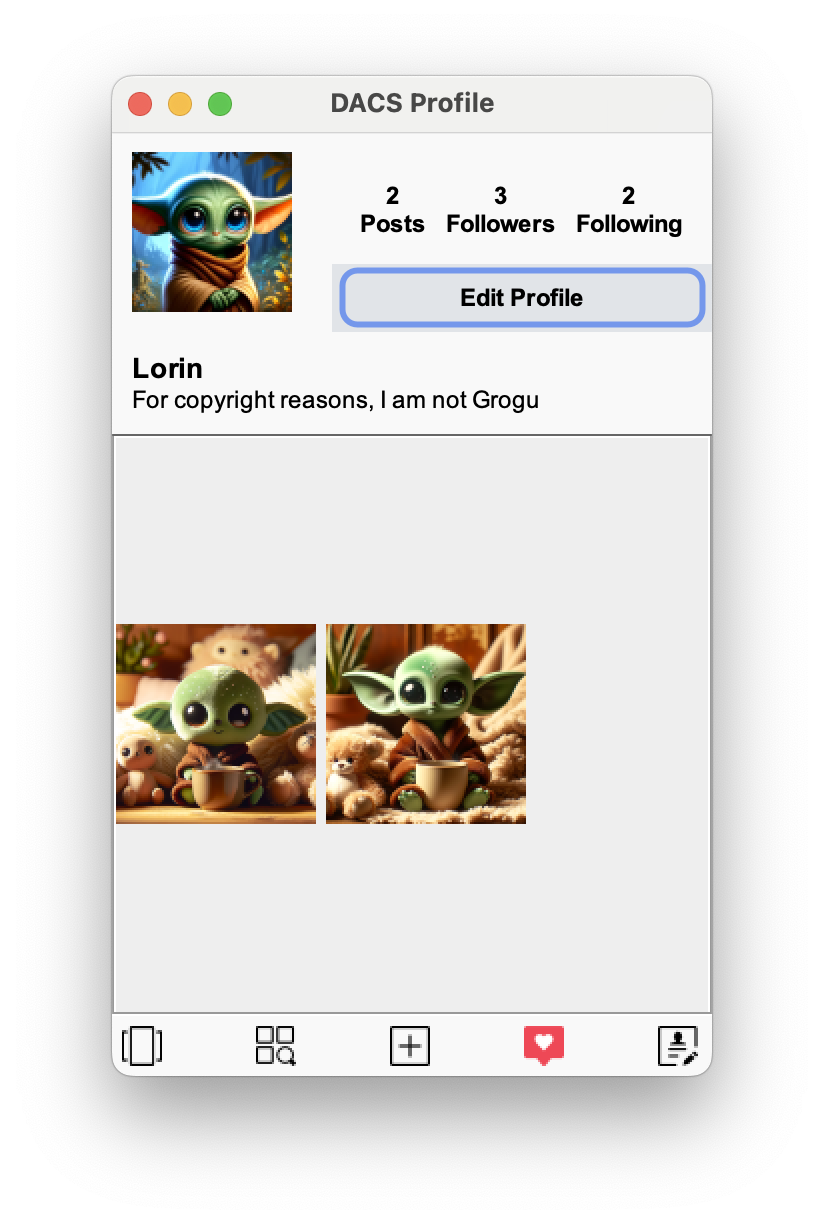
Course Project (Quackstagram 🐥)
Grading
| Quackstagram 🐥 Project |
30 |
30% |
| Final Exam |
70 |
70% |
| Total |
100 |
— |
| 10 |
96–100% |
| 9 |
90–95% |
| 8 |
80–89% |
| 7 |
70–79% |
| 6 |
60–69% |
| F |
<60 |
To pass the course, you need to get more than 60% in total
What do we expect from you?
Programming Expectations 🧑🏽💻️
- You have followed both BCS1120 Procedural programming and BCS1220 Objects in programming. You should be comfortable with Java and Object-Oriented Progamming.
- You will need to write a lot more code in this course than you did in Intro to CS (BCS1110)
Attendance and participation
- You are expected to come to the lectures each Monday and Tuesday🏫
- You also have to attend your 🥼 labs on Thursday
Course Material
- Other materials
- I will occasionally also use two other text (see course page) (No need to buy these either)
- Java and VSCode
- We piggybank on BCS1120’s setup
- Use VSCode for the project
Important pep talk!
- I promise you can (and will) succeed in this class
- I’m fully committed to making sure that you learn everything you were hoping to learn from this class!
Support
Support from me
- I will make whatever accommodations I can to help you learn and understand the class material and finish project
- If you tell me you’re having trouble, I will not judge you or think less of you. I hope you’ll extend me the same grace
- You are always welcome to talk to me about things that you’re going through, though. If I can’t help you, I usually know somebody who can
- If you need extra help, or if you need more time with something, or if you feel like you’re behind or not understanding everything, do not suffer in silence! Talk to me! I will work with you. I promise
Student hours ⏳
- Student hours are set times dedicated to all of you (most professors call these “office hours”; I don’t)
- This means that I will be in my office (🏫PHS1 C4.005, Thursday before from 10 to 11) waiting for you to come by talk to me with whatever questions you have
Simple: Be Kind, Be Nice and Be Considerate
Class Policies
- We do not tolerate discrimination and/or violence of any sort
- We live in a world with a long history of racism and need to actively combat that in both our actions and language, so please be mindful
- Academic Honesty
- Special Needs
- Please talk to me this week
Join Discord Sever (if you have not yet)
- The link is only valid for next 7 days, request a new link from me via E-Mail after that
- Read Discord policy on course webpage!
Course Webpage
- Everything you need is already on Canvas, so no need to use the website if you do not wish to
- I post my notes on the webpage that contain additional readings (only if you wish to read it)
- You need a username (BCS1430) and 🔐 password (dacs) to use the webpage
Remember: I am here to support you if you need it.
👋🏼 Let’s have a great semester!
 Teacher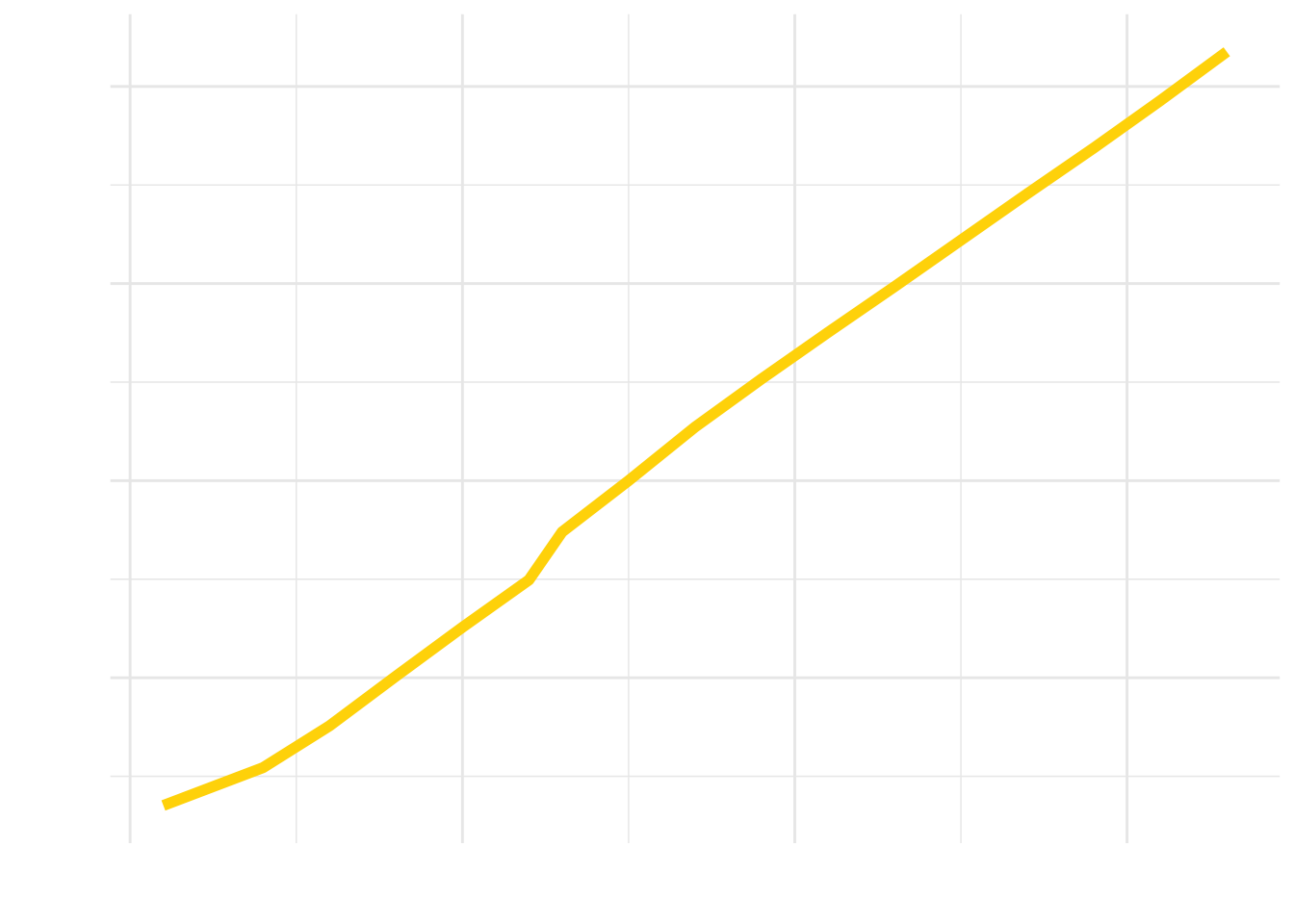
 Assistant Professor