Refactoring and code smells
BCS1430
Dr. Ashish Sai
📅 Week 3 Lecture 1
💻 BCS1430.ashish.nl
📍 EPD150 MSM Conference Hall
Introduction to Refactoring
Introduction to Refactoring
- Refactoring: The process of improving the internal structure of code without changing its external behavior.
Motivations for Refactoring
- Enhance Code Clarity
- Mitigate Technical Debt 1
- Ease Future Modifications
- Spot and Resolve Defects

Refactoring Challenges
- Legacy Code: Navigating complex, undocumented systems.
- Time Management: Juggling refactoring and new features.
- Bug Risk: Ensuring thorough testing.
- Stakeholder Buy-In: Advocating the benefits of refactoring.
When to Refactor
- Before Adding a New Feature: Tidy code before adding new features.
- When Fixing a Bug: Simplify surrounding code for clarity and easier bug resolution.
- During Code Review: Implement identified enhancements.
- As You Go: Continually refine code during development.
Refactoring Example
Refactoring
Small, Behavior-Preserving Transformations: Minor yet cumulative modifications for major restructuring.
Systematic Process: Ensures the external behavior remains consistent while improving internal architecture.
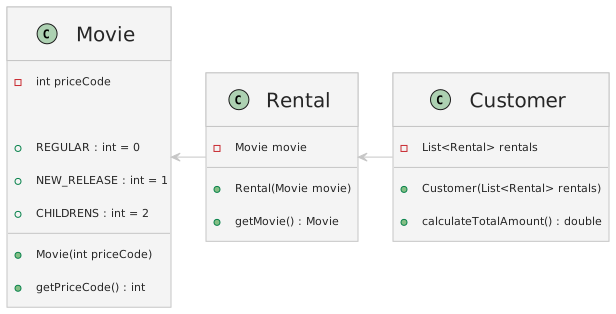
The Starting Code
The Starting Code
Consider a video store’s calculation logic:
class Customer {
    private List<Rental> rentals;

    public double calculateTotalAmount() {
        double totalAmount = 0;
        for (int i = 0; i < rentals.size(); i++) {
            Rental rental = rentals.get(i);
            double amount = 0;

            switch (rental.getMovie().getPriceCode()) {
                case Movie.REGULAR:
                    amount = 2;
                    break;
                case Movie.NEW_RELEASE:
                    amount = 3;
                    break;
                case Movie.CHILDRENS:
                    amount = 1.5;
                    break;
                default:
                    amount = 0;
                    break;
            }

            totalAmount += amount;
        }
        return totalAmount;
    }
}
Identifying the First Refactor - Extract Method
Goal: Simplify the calculateTotalAmount method by creating smaller, more readable chunks of code.
Extract the switch statement into amountFor in the Rental class:
Refactoring Step by Step
- Identify a section to extract: Target a self-contained code chunk.
- Create a new method: Move the code into a new method in the appropriate class.
- Replace old code: Substitute the original code with the new method call.
- Test: Ensure behavior remains consistent.
Benefits of Extract Method
- Improved Readability: The main method becomes concise.
- Reusability: Other system parts can now use the new method.
- Separation of Concerns: Enhances encapsulation.
Continuing the Refactoring
Look for opportunities to:
Break down long methods.
Move operations closer to data.
Replace conditionals with polymorphism.
Polymorphism Over Conditionals
Before: Switch statements based on movie type.
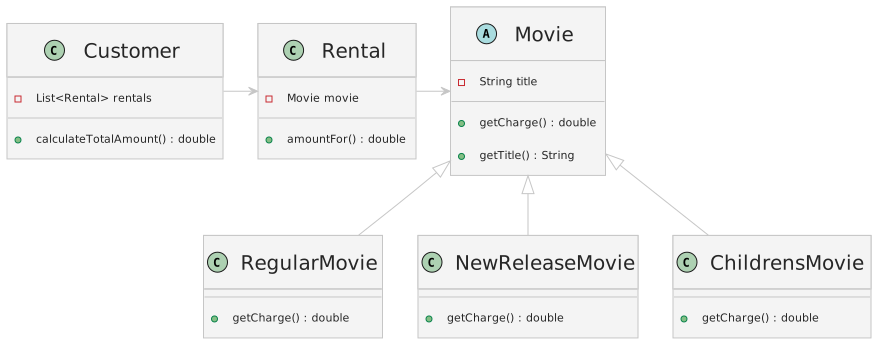
After: Use polymorphism with subclasses like RegularMovie, NewReleaseMovie, and ChildrensMovie.
Implementing Polymorphism
- Define a common interface: All movie types should respond to
getCharge. - Create subclasses: Each represents a different movie type.
- Move the logic: Shift charge calculation to the respective subclass.
Example:
public abstract class Movie {
    private String title;

    public Movie(String title) {
        this.title = title;
    }

    public String getTitle() {
        return title;
    }

    abstract double getCharge();
}

public class RegularMovie extends Movie {
    public RegularMovie(String title) {
        super(title);
    }

    @Override
    double getCharge() {
        return 2;
    }
}

public class NewReleaseMovie extends Movie {
    public NewReleaseMovie(String title) {
        super(title);
    }

    @Override
    double getCharge() {
        return 3;
    }
}

public class ChildrensMovie extends Movie {
    public ChildrensMovie(String title) {
        super(title);
    }

    @Override
    double getCharge() {
        return 1.5;
    }
}
Example:
Example:
Benefits of Polymorphism
Flexibility: Adding a new movie type is straightforward.
Adherence to Open/Closed Principle: System is open for extension but closed for modification.
So far
Encapsulation Achieved: Broke down a complex method into smaller, manageable parts, enhancing readability and flexibility.
Refactoring Impact: Small, progressive enhancements yielding substantial overall improvements.
Principles of Refactoring
- Core Principles:
Do not change the observable behavior of the code.
Make small, incremental changes.
Test after each change.
Focus on simplicity and clarity.
Introduction to Code Smells
What? Can code “smell” 👃 ????
Well it doesn’t have a nose…. but it definitely can stink 😷!
Introduction to Code Smells
Code Smells: Indicators of potential issues in your code that may require refactoring.
Importance: Recognizing smells is the first step towards improving code quality.
Introduction to Code Smells
Common Smells: Include Duplicated Code, Long Method, Large Class, and more.
Use smells as a guide, not a strict rule, to identify areas for improvement.
Types of Code Smells
- Bloaters: Oversized constructs that complicate code management.
- Object-Orientation Abusers: Poor OOP design choices.
- Change Preventers: Structures that make changes difficult and widespread.
- Dispensables: Redundant elements that reduce clarity and efficiency.
- Couplers: Excessive class coupling or delegation issues.
Bloaters
Bloaters
- Definition: Oversized code, methods, and classes becoming difficult to manage.
- Characteristics: Grow gradually over time, complicating program evolution.
- Cause: Lack of effort to refine or reduce code complexity.
Long Method

Image Credit: Refactoring.Guru
1. Long Method - Problem
What It Is: Methods with too many lines of code.
Problems: Hard to understand and maintain. Often contain hidden bugs.
1. Long Method - Problem
    public class ReportGenerator {
        public void generateReport(DataSet data) {
            // Initialization and setup
            String report = "";
            // Complex data processing
            for (DataPoint point : data) {
                // Detailed data analysis and report generation
                report += analyzeDataPoint(point);
            }
            // More processing and formatting
            // Final report compilation
            System.out.println(report);
        }
    }
1. Long Method - Solution
- Break down into smaller methods, each with a clear purpose.
    public class ReportGenerator {
        public void generateReport(DataSet data) {
            String report = processDataForReport(data);
            outputReport(report);
        }

        private String processDataForReport(DataSet data) {
            String report = "";
            for (DataPoint point : data) {
                report += analyzeDataPoint(point);
            }
            return report;
        }

        private void outputReport(String report) {
            // Final report compilation and output
            System.out.println(report);
        }

        private String analyzeDataPoint(DataPoint point) {
            // Detailed data analysis
            // Return analysis result as String
        }
}1. Refactoring Techniques: Long Method
Extract Method: Break down into smaller methods with clear names indicating their purpose.
Replace Temp with Query: Replace temporary variables with queries to the method itself.
Introduce Parameter Object or Preserve Whole Object: Group parameters into objects.
1. Long Method: Extract Method
- Technique: Break down a long method into smaller methods with clear names indicating their purpose.
Problem Code:
1. Long Method: Extract Method
Refactored Code:
public void printReport(List<Report> reports) {
    for(Report report : reports) {
        printHeader(report);
        printDetails(report);
        printFooter(report);
    }
}

private void printHeader(Report report) { /*...*/ }
private void printDetails(Report report) { /*...*/ }
private void printFooter(Report report) { /*...*/ }- Benefits: Each part of the code has a clear purpose, improving readability and maintainability.
1. Long Method: Replace Temp with Query
- Technique: Replace temporary variables with queries to the method itself.
Problem Code:
1. Long Method: Replace Temp with Query
Refactored Code:
public double calculateTotal() {
    if(basePrice() > 1000) {
        return basePrice() * 0.95;
    } else {
        return basePrice() * 0.98;
    }
}

private double basePrice() {
    return quantity * itemPrice;
}- Benefits: Reduces the clutter of temporary variables and ensures that the calculation is always up to date.
1. Long Method: Parameter or Whole Object
- Technique: Group parameters into objects.
Problem Code:
1. Long Method: Parameter or Whole Object
Refactored Code:
public class ReservationRequest {
    private Date start;
    private Date end;
    private Guest guest;
    private Room room;
    // Constructor and accessors
}

public void createReservation(ReservationRequest request) {
    // Logic using request object
}- Benefits: Simplifies method signatures, makes the code more readable, and groups related data together.
Large Class
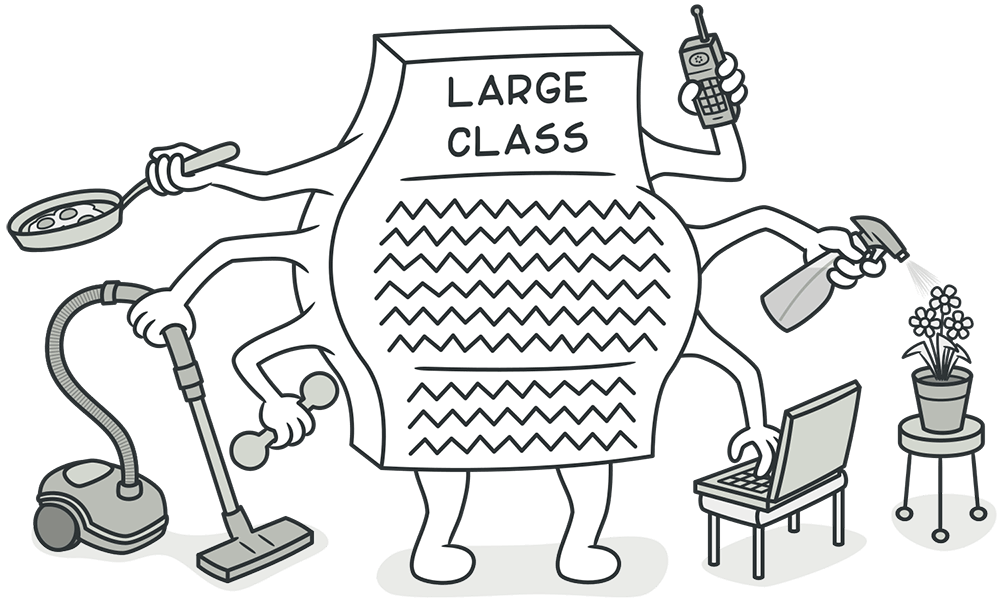
Image Credit: Refactoring.Guru
2. Large Class: Problem
What It Is: Classes with too many responsibilities.
Problems: Difficult to understand, maintain, and modify.
2. Large Class: Problem
    public class Employee {
        private String name;
        private String address;
        private String phoneNumber;
        private double salary;
        // ... many more attributes

        public void calculatePay() {
            // Method to calculate pay
        }

        public void save() {
            // Method to save employee details
        }

        // ... many more methods
}- This
Employeeclass is handling personal details, pay calculations, and data storage, among other things.
2. Large Class: Solution
- Solution: Use techniques like Extract Class to divide into smaller, more focused classes.
    public class Employee {
        private String name;
        private EmployeeDetails details;
        private PayCalculator payCalculator;

        // Employee class now delegates responsibilities
    }

    public class EmployeeDetails {
        private String address;
        private String phoneNumber;
        // ... other personal details
    }

    public class PayCalculator {
        private double salary;

        public void calculatePay() {
            // Method to calculate pay
        }
}2. Large Class
Refactoring Techniques:
Extract Class: Create new classes to handle parts of the functionality.
Extract Subclass or Extract Interface: Use when part of the behavior is used in only some instances.
2. Large Class: Extract Class
- Technique: Create new classes to handle parts of the functionality.
Problem Code:
2. Large Class: Extract Class
Refactored Code:
class Order {
    private Customer customer;
    private List<Item> items;
    private PaymentDetails paymentDetails;
    private ShippingDetails shippingDetails;
    // Simplified Order class
}

class PaymentDetails {
    private Address billingAddress;
    // ... payment related fields and methods
}

class ShippingDetails {
    private Address shippingAddress;
    // ... shipping related fields and methods
}- Benefits: Reduces complexity by delegating responsibilities to new classes, improving readability and maintainability.
2. Large Class: Extract Subclass or Interface
- Technique: Use when part of the behavior is used in only some instances.
Problem Code:
2. Large Class: Extract Subclass or Interface
Refactored Code (Extract Subclass):
class Order {
    // ... common fields and methods
}

class PriorityOrder extends Order {
    // Priority order specific fields and methods
    @Override
    void processOrder() {
        // Priority order processing
    }
}

class NormalOrder extends Order {
    // Normal order specific fields and methods
    @Override
    void processOrder() {
        // Normal order processing
    }
}
2. Large Class: Extract Subclass or Interface
Refactored Code (Extract Interface):
interface Order {
    void processOrder();
}

class PriorityOrder implements Order {
    // Priority order specific fields and methods
    public void processOrder() {
        // Priority order processing
    }
}

class NormalOrder implements Order {
    // Normal order specific fields and methods
    public void processOrder() {
        // Normal order processing
    }
}- Benefits: Separates different behaviors into distinct classes or interfaces, enhancing the Single Responsibility Principle and making the system easier to understand and modify.
Long Parameter List
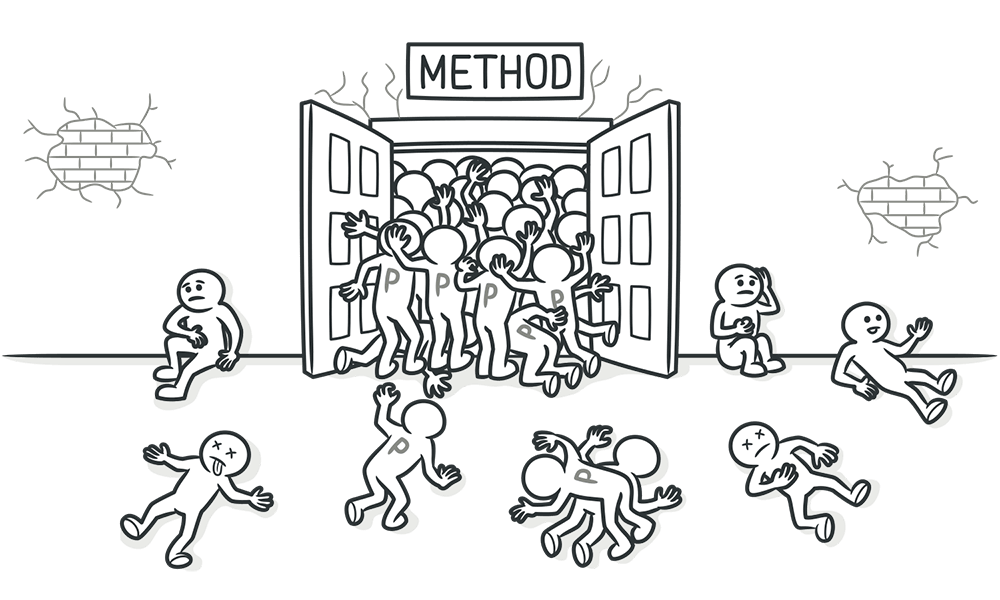
Image Credit: Refactoring.Guru
3. Long Parameter List
- What It Is: Methods with a high number of parameters.
- Problems: Hard to understand and use. Increases the risk of errors.
3. Long Parameter List
3. Solution to Long Parameter List
- Solution: Use objects to group parameters or replace parameters with method calls.
public class CustomerInfo {
    private String name;
    private String email;
    // Constructors, getters, and setters...
}

public class OrderDetails {
    private String orderItem;
    private int quantity;
    // Constructors, getters, and setters...
}

public class PaymentInfo {
    private String paymentMethod;
    private String cardNumber;
    private String expiryDate;
    private String cvv;
    // Constructors, getters, and setters...
}

// The method now takes these objects as parameters:
public void processOrder(CustomerInfo customerInfo, OrderDetails orderDetails, PaymentInfo paymentInfo) {
    // Method logic using the provided objects...
}
3. Long Parameter List: Alternative Solution
Alternative: Replace parameters with method calls to retrieve the needed information.
Example: Method Calls Instead of Parameters
// Assuming there are methods to retrieve customer and order details:
CustomerInfo customerInfo = getCustomerInfo(customerId);
OrderDetails orderDetails = getOrderDetails(orderId);
PaymentInfo paymentInfo = getPaymentInfo(paymentId);

// The method can be simplified further:
public void processOrder(CustomerInfo customerInfo, OrderDetails orderDetails, PaymentInfo paymentInfo) {
    // Method logic...
}Primitive Obsession
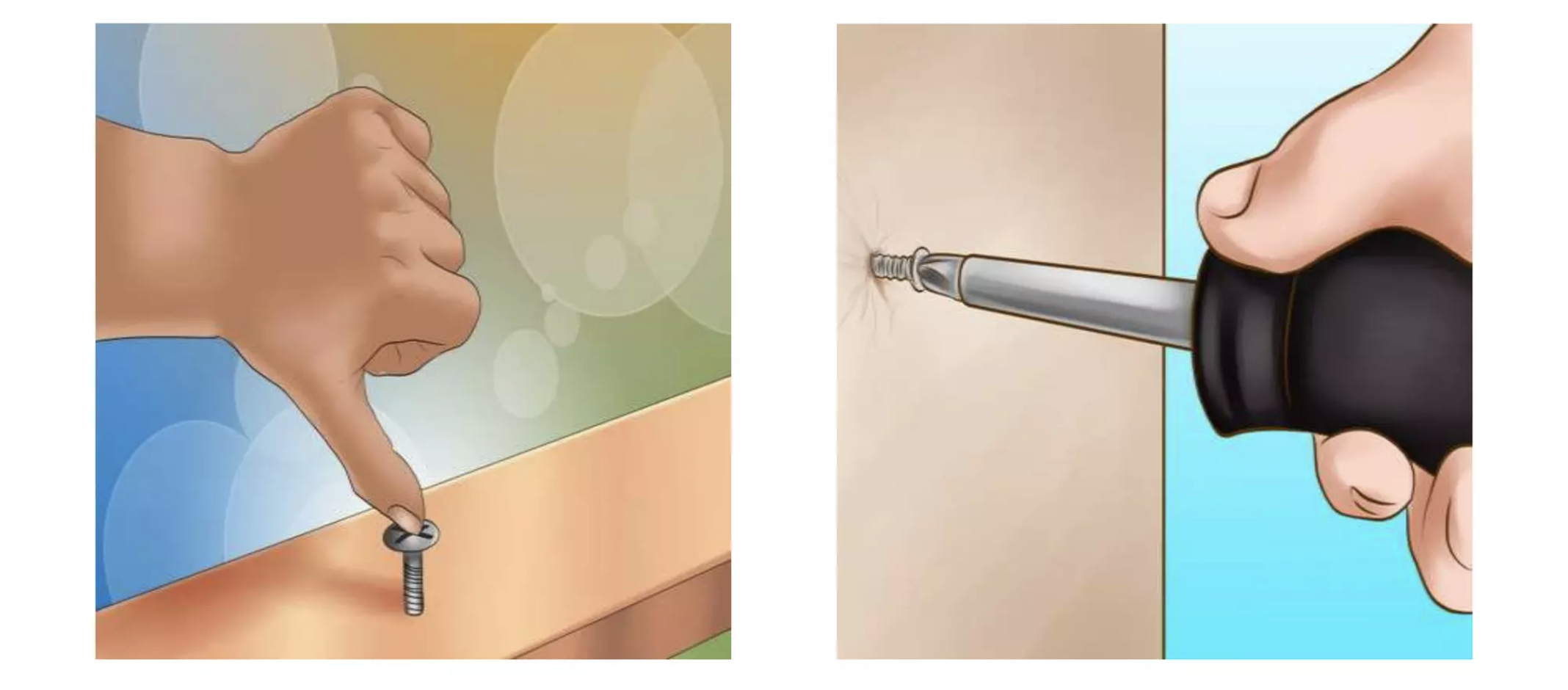
4. Primitive Obsession
Identification: Overuse of primitive types instead of small objects for simple tasks.
Example:
4. Primitive Obsession
Refactoring Techniques:
Replace Data Value with Object: Create an object for the type of data you have.
Replace Array with Object: Use an object to represent a group of related data instead of an array.
4. Primitive Obsession: Data Value
- Technique: Create an object for the type of data you have.
Problem Code:
4. Primitive Obsession: Data Value
Refactored Code:
class Phone {
    private String number;

    public Phone(String number) {
        this.number = number;
    }

    public String formatNumber() {
        // Format number (e.g., add dashes)
        return number;
    }
}

class User {
    private String name; // Still primitive type, appropriate here
    private Phone phone; // Replaced with object

    public User(String name, String phoneNumber) {
        this.name = name;
        this.phone = new Phone(phoneNumber);
    }

    public void displayUserInfo() {
        System.out.println("Name: " + name + ", Phone: " + phone.formatNumber());
    }
}- Benefits: Encapsulates data and behavior related to phone numbers, making the code more understandable and maintainable.
4. Primitive Obsession: Array
- Technique: Use an object to represent a group of related data instead of an array.
Problem Code:
4. Primitive Obsession: Array
Refactored Code:
class User {
    private String name;
    private String phone;
    private String address;

    public User(String name, String phone, String address) {
        this.name = name;
        this.phone = phone;
        this.address = address;
    }

    public void displayUserInfo() {
        System.out.println("Name: " + name + ", Phone: " + phone + ", Address: " + address);
    }
}- Benefits: Each piece of data is now clearly defined, improving readability and reducing the risk of errors like incorrect array index access.
Data Clumps

Image Credit: Refactoring.Guru
5. Data Clumps
Identification: Groups of data that always appear together but aren’t organized into a structure.
Example:
5. Data Clumps
Refactoring Techniques:
- Introduce Parameter Object or Class: Group the clumped data into a single object representing the entire concept.
5. Data Clumps: Parameter Object or Class
- Technique: Group the clumped data into a single object representing the entire concept.
Problem Code:
class CustomerService {
    public void createCustomer(String firstName, String lastName, String street, String city, String zip) {
        // Logic to create a customer
    }
}- Issues: The
createCustomermethod takes multiple parameters related to customer and address, making it cumbersome and prone to errors.
5. Data Clumps: Parameter Object or Class
Refactored Code:
class Customer {
    String firstName;
    String lastName;
    Address address;
}

class Address {
    String street;
    String city;
    String zip;
}

class CustomerService {
    public void createCustomer(Customer customer) {
        // Logic to create a customer
    }
}- Benefits: Encapsulates related data into coherent structures, simplifying method signatures and promoting code reuse and clarity. This makes the code more maintainable and understandable, as well as easier to extend with new customer-related attributes or behaviors.
Object-Orientation Abusers
Object-Orientation Abusers
Definition: Poor OOP application leading to design flaws.
Characteristics: Complex and rigid code; misused inheritance and polymorphism.
Cause: Misunderstanding or misapplying OOP principles; forcing problems into unsuitable solutions.
Switch Statements
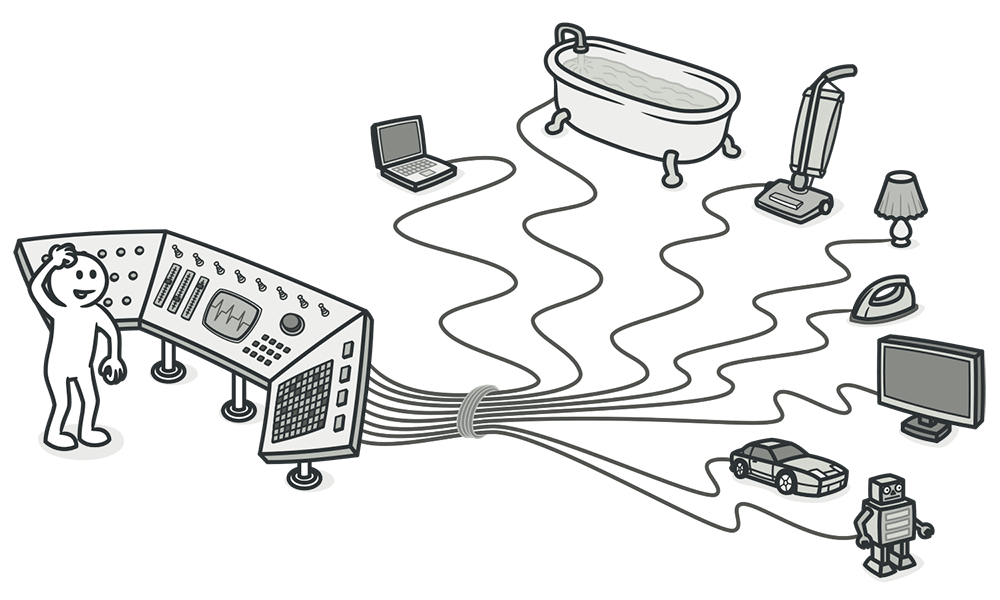
Image Credit: Refactoring.Guru
6. Switch Statements
- What It Is: Excessive use of switch or complex if-else chains.
- Problems: Hard to modify and extend. Often violates Open/Closed Principle.
6. Switch Statements
public class AnimalSound {
    public String makeSound(String animalType) {
        switch (animalType) {
            case "dog":
                return "Bark";
            case "cat":
                return "Meow";
            case "cow":
                return "Moo";
            // More cases for different animals
            default:
                throw new IllegalArgumentException("Unknown animal type");
        }
    }
}- Issues: Each new animal type requires modifying the
makeSoundmethod.
6. Switch Statements - Solution
- Solution: Use polymorphism and other design patterns to handle varying behavior more gracefully.
interface Animal {
    String makeSound();
}

class Dog implements Animal {
    public String makeSound() { return "Bark"; }
}

class Cat implements Animal {
    public String makeSound() { return "Meow"; }
}

class Cow implements Animal {
    public String makeSound() { return "Moo"; }
}

// Using the Animal interface
public class AnimalSound {
    public String makeSound(Animal animal) {
        return animal.makeSound();
    }
}- Benefits: Easily extendable by adding new classes. No need to modify existing code to add new animal types, adhering to the Open/Closed Principle.
6. Switch Statements
Refactoring Techniques:
Replace Conditional with Polymorphism: Use polymorphism to handle varying behavior based on type.
Replace Type Code with Subclasses: Create subclasses for each type code.
6. Switch Statements: Polymorphism
- Technique: Use polymorphism to handle varying behavior based on an object’s type instead of a switch or complex if-else chains.
Problem Code:
6. Switch Statements: Polymorphism
Refactored Code:
abstract class Employee {
    abstract double calculatePay();
}

class CommissionedEmployee extends Employee {
    double calculatePay() {
        return calculateCommissionedPay();
    }
}

class HourlyEmployee extends Employee {
    double calculatePay() {
        return calculateHourlyPay();
    }
}

// Usage:
Employee employee = new CommissionedEmployee();
double pay = employee.calculatePay();- Benefits: Eliminates the switch statement by encapsulating the varying behavior within each subclass. This makes the code easier to extend and maintain, as new types can be added without modifying existing code.
6. Switch Statements: Subclasses
- Technique: Create subclasses for each type code, moving the behavior dependent on the type into these subclasses.
Problem Code:
6. Switch Statements: Subclasses
Refactored Code:
abstract class Employee {
    abstract double calculatePay();
}

class CommissionedEmployee extends Employee {
    double calculatePay() {
        return calculateCommissionedPay();
    }
}

class HourlyEmployee extends Employee {
    double calculatePay() {
        return calculateHourlyPay();
    }
}

class SalariedEmployee extends Employee {
    double calculatePay() {
        return calculateSalariedPay();
    }
}

// Usage:
Employee employee = new HourlyEmployee();
double pay = employee.calculatePay();- Benefits: Each subclass clearly represents a specific type of employee and its corresponding calculation method. It adheres to the Open/Closed Principle, as new types can be added without affecting existing classes.
Alternative Classes with Different Interfaces
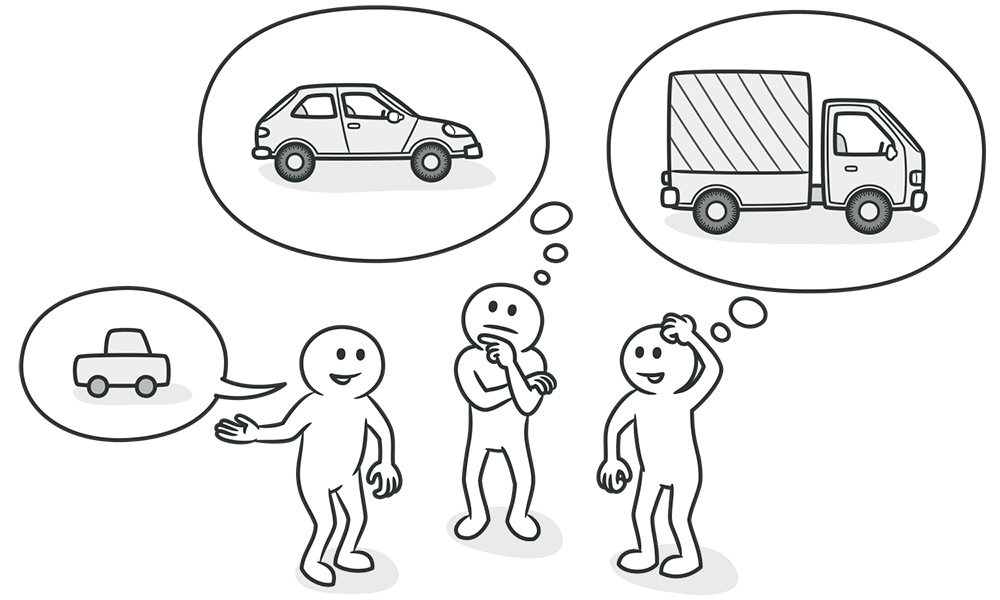
Image Credit: Refactoring.Guru
7. Alternative Classes with Different Interfaces
- What It Is: Two classes with identical functions but different method names.
- Problems: Causes unnecessary code duplication and complicates maintenance.
- Reasons for the Problem: Lack of awareness of existing classes leading to redundant implementations.
7. Alternative Classes with Different Interfaces
7. Alternative Classes with Different Interfaces - Solution
- Solution Strategies:
- Rename Methods: Align method names across classes.
- Extract Superclass: For partially duplicated functionality, create a common superclass.
- Benefits: Reduces code duplication, enhances readability, and simplifies future maintenance.
7. Alternative Classes with Different Interfaces - Solution
- Rename Methods
7. Alternative Classes with Different Interfaces - Solution
- Extract Superclass
Change Preventers
Change Preventers
- Definition: Code that necessitates widespread changes for a single adjustment.
- Impact: Increases complexity and cost of program development.
- Characteristic: Makes code modifications labor-intensive and interconnected.
Divergent Change
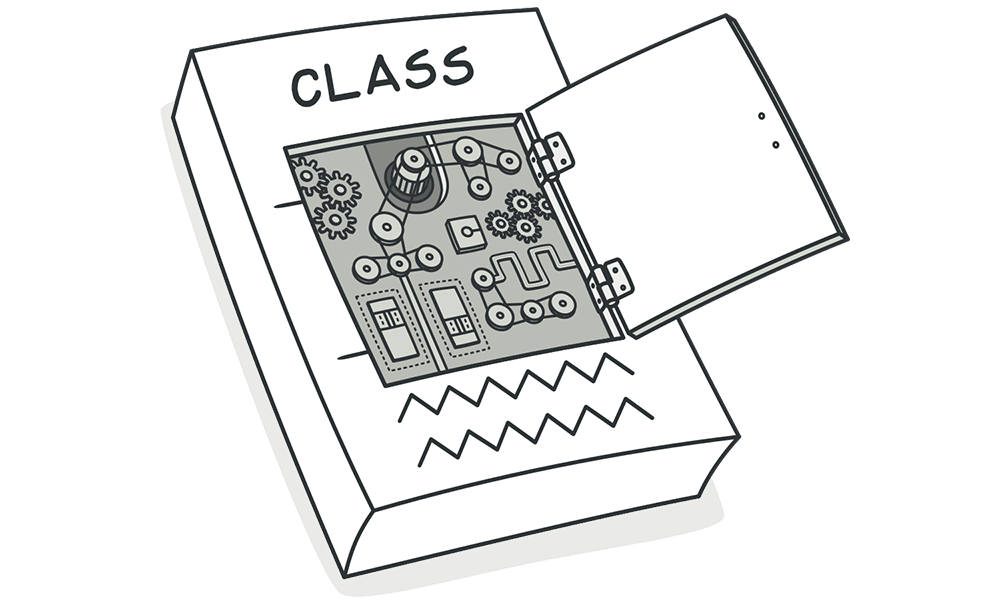
Image Credit: Refactoring.Guru
8. Divergent Change
- What It Is: A single class requires multiple changes for different reasons.
- Problems: Leads to complex, hard-to-maintain classes.
8. Divergent Change Example
public class ProductManager {
    public void addProduct(Product product) {
        // Add logic
    }
    public void displayProduct(Product product) {
        // Display logic
    }
    public void orderProduct(Product product) {
        // Order logic
    }
    // More methods related to products
}- Issues: Adding a new product type affects multiple unrelated methods.
8. Divergent Change - Solution
- Solution Strategies:
- Extract Class: Split up responsibilities into focused classes.
- Use Inheritance: Combine common behaviors using superclass or subclass extraction.
8. Divergent Change - Solution
// After Extract Class
public class ProductDisplay {
    public void displayProduct(Product product) {
        // Display logic
    }
}

public class ProductOrder {
    public void orderProduct(Product product) {
        // Order logic
    }
}- Benefits: Enhances code organization, reduces duplication, simplifies maintenance.
Dispensables
Dispensables
Definition: Redundant code elements that reduce clarity and efficiency.
Characteristics: Includes excessive comments, duplicate or obsolete code, and underused or functionality-lacking classes.
Cause: Arises from inadequate maintenance or speculative coding without future utilization.
Duplicated Code

Image Credit: Refactoring.Guru
9. Duplicated Code
What It Is: The same code structure appearing in more than one place.
Problems: Increases the likelihood of errors and makes the code harder to maintain.
9. Example
// Example of Duplicated Code
public void processOrder() {
    // ... some code ...
    double orderTotal = price * quantity;
    double tax = orderTotal * 0.05;
    double finalPrice = orderTotal + tax;
    // ... more code ...
}

public void calculateBill() {
    // ... some code ...
    double billTotal = itemPrice * itemCount;
    double tax = billTotal * 0.05;
    double finalAmount = billTotal + tax;
    // ... more code ...
}
9. Refactoring Duplicated Code
// Extracted method to handle tax and final price calculation
public double calculateTotalWithTax(double total) {
    double tax = total * 0.05;
    return total + tax;
}

public void processOrder() {
    // ... some code ...
    double orderTotal = price * quantity;
    double finalPrice = calculateTotalWithTax(orderTotal);
    // ... more code ...
}

public void calculateBill() {
    // ... some code ...
    double billTotal = itemPrice * itemCount;
    double finalAmount = calculateTotalWithTax(billTotal);
    // ... more code ...
}
By extracting the common logic into a method, we reduce duplication and improve maintainability.
9. Identifying Duplicated Code
Identification: Look for similar code segments across different methods or classes.
Examples:
Copy-pasted loops or conditionals.
Repeated code blocks in different parts of the application.
9. Extract Method
- Technique: Isolate repeated code into a single method.
Problem:
9. Extract Method
Refactored Code:
class ReportGenerator {
    private int calculateSum(List<Integer> data) {
        int sum = 0;
        for(Integer value : data) { sum += value; }
        return sum;
    }

    void generateReport() {
        // ... some code ...
        System.out.println("Sum: " + calculateSum(data));
        // ... more code ...
    }
}- Benefits: Reduces redundancy, centralizes changes, and improves code readability.
9. Pull Up Method/Field
- Technique: Move duplicate code to a common superclass.
Problem:
9. Pull Up Method/Field
Refactored Code:
class Animal {
    void eat() { System.out.println("Eating..."); }
}

class Dog extends Animal {}

class Cat extends Animal {}- Benefits: Eliminates duplicate code across subclasses, centralizes behavior for easier updates and maintenance.
10. Comments
- What It Is: Overuse of comments to explain complex or unintuitive code.
- Problems: Indicates potential code smells; comments often mask underlying issues.
10. Comments in Code
- Common Issues: Explanatory comments filling methods, suggesting the code is not self-explanatory.
10. Comments - Solution
- Solution Strategies:
- Extract Variable: For complex expressions, making them self-explanatory.
- Extract Method: Turn commented sections into separate methods.
- Rename Method: Ensure method names clearly indicate their purpose.
- Benefits: Results in more intuitive and maintainable code, reducing reliance on comments.
Couplers
Couplers
Definition: Problems causing excessive class dependencies or overuse of delegation.
Characteristics: Excessive inter-class dependencies, intrusive access, long method chains, and unnecessary delegation.
Cause: Design flaws leading to tight coupling and delegation, affecting modularity and maintenance.
Feature Envy
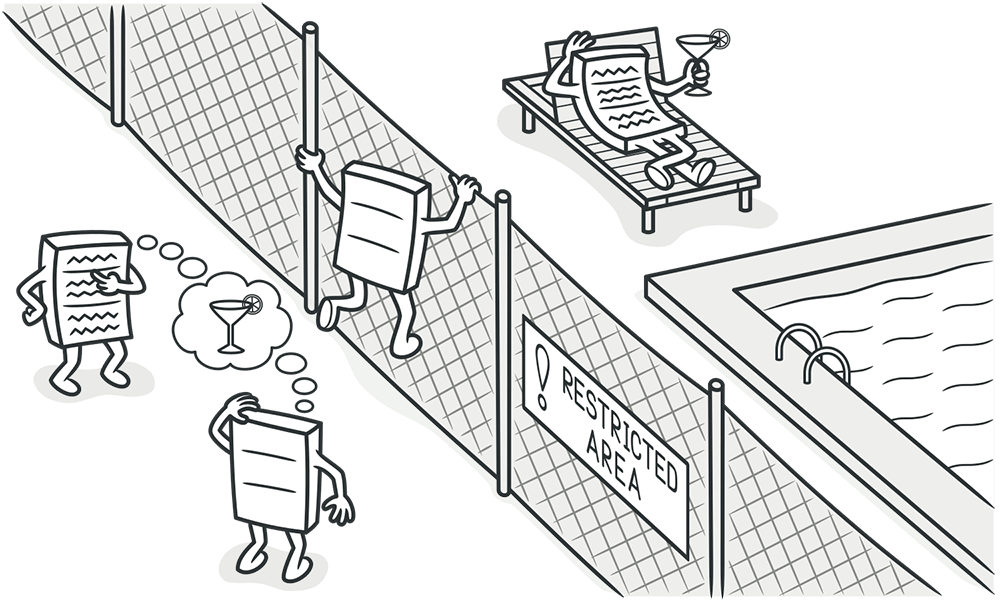
Image Credit: Refactoring.Guru
11. Feature Envy
Identification: A method that seems more interested in a class other than the one it actually is in.
Example:
11. Feature Envy
Refactoring Techniques:
Move Method: Move the method to the class it is most interested in.
Extract Method: If only part of the method suffers from feature envy, extract that part.
11. Feature Envy : Move Method
- Technique: Move the method to the class it is most interested in.
Problem Code:
class ReportGenerator {
    // ... other methods ...
    public void generateReport(Data data) {
        System.out.println("Report Title: " + data.getTitle());
        System.out.println("Report Data: " + data.getFormattedData());
        // Several other lines interacting with 'Data' class
    }
}

class Data {
    String getTitle() { /* ... */ }
    String getFormattedData() { /* ... */ }
    // ... other methods ...
}
11. Feature Envy : Move Method
Refactored Code:
class ReportGenerator {
    // ... other methods ...
    public void generateReport(Data data) {
        data.printReportDetails();
    }
}

class Data {
    // ... other methods ...
    void printReportDetails() {
        System.out.println("Report Title: " + getTitle());
        System.out.println("Report Data: " + getFormattedData());
        // Moved method content here
    }
}- Benefits: Aligns the method with the data it primarily operates on, improving cohesion and making the code more logical and easier to understand.
11. Feature Envy: Extract Method
- Technique: If only part of the method suffers from feature envy, extract that part.
Problem Code:
class ReportGenerator {
    public void generateReport(Data data) {
        // ... some code working with ReportGenerator's own data ...
        System.out.println("Report Data: " + data.getFormattedData());
        // ... more code working with ReportGenerator's own data ...
    }
}

class Data {
    String getFormattedData() { /* ... */ }
    // ... other methods ...
}
11. Feature Envy: Extract Method
Refactored Code:
class ReportGenerator {
    public void generateReport(Data data) {
        // ... some code working with ReportGenerator's own data ...
        printDataDetails(data);
        // ... more code working with ReportGenerator's own data ...
    }

    private void printDataDetails(Data data) {
        System.out.println("Report Data: " + data.getFormattedData());
        // Isolated the part that was showing feature envy
    }
}

class Data {
    // ... other methods ...
}- Benefits: Separates the responsibilities more clearly, addressing the feature envy within the method by isolating the envious segment, making the code more modular and maintainable.
Message Chains
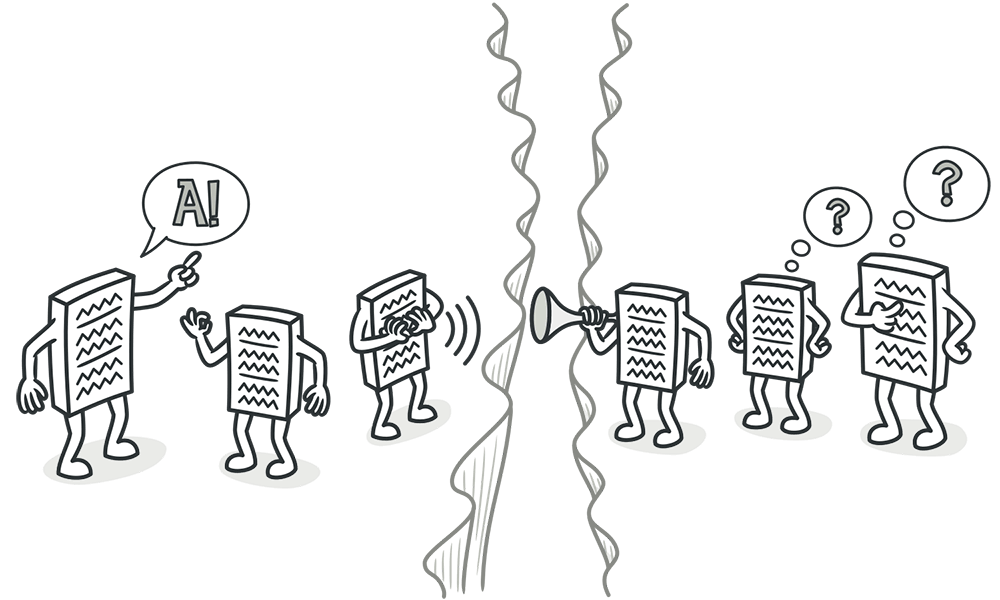
Image Credit: Refactoring.Guru
12. Message Chains
- What It Is: A series of method calls resembling
a->b()->c()->d(). - Problems: Increases dependency on class structure, complicating changes.
12. Message Chains Example
- Issues: Client code navigates through multiple objects, creating a tight coupling.
12. Message Chains - Solution
- Solution Strategies:
- Hide Delegate: Encapsulate the chain inside a method in the root object.
- Extract Method: Isolate the chain, then move it closer to the data it manipulates.
12. Message Chains - Solution
// After applying Hide Delegate
public class Order {
    public String getCustomerZipCode() {
        return this.getCustomer().getAddress().getZipCode();
    }
}- Benefits: Simplifies client interactions, reducing direct dependencies and making code more resilient to changes.
Comments
Image Credit: Refactoring.Guru